
Selling fully customizable products on Shopify can get complicated fast.
As soon as you want image uploads or live previews using basic Shopify variants or simple text inputs is no longer enough.
This is where Shopify product configurators come into play.
They allow customers to visually customize products directly on the product page and shows them exactly what they’re buying before checkout.
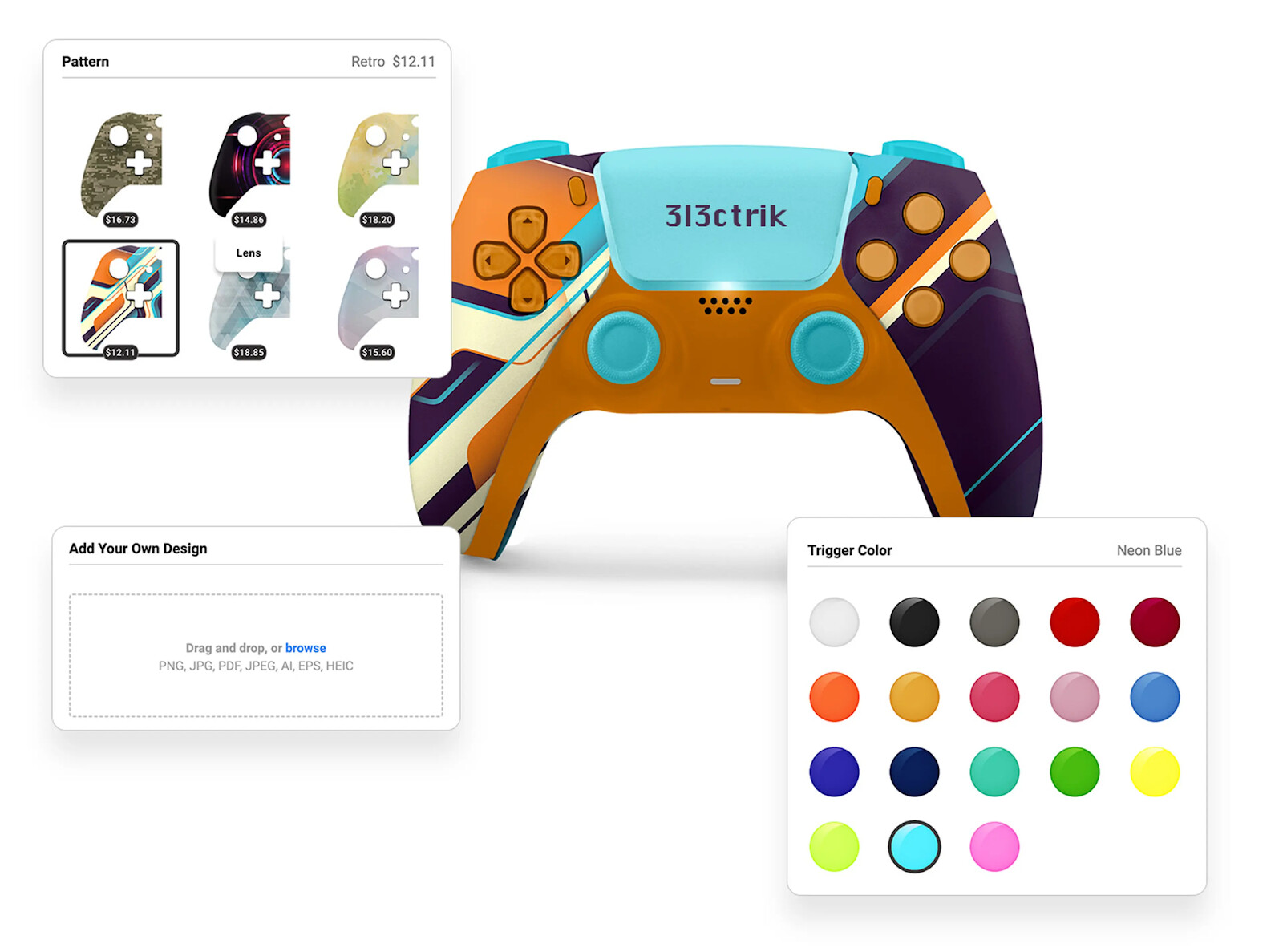
In this article, we’ll look at how modern product configurators look and how you can use them to sell personalized products on Shopify.
If you want to see a full step-by-step implementation, please find a video example at the end.
Why Apps Become Necessary for Advanced Product Customization
Shopify’s built-in product options and variants work well for simple choices like size or color.
But once you move into more advanced customization, they quickly reach their limits.
Features like proper image uploads, live previews, or dynamic pricing for personalization can’t be handled at the theme level alone.
They require backend logic that themes simply don’t have access to.
That’s why apps have become necessary for this kind of setup.
My Preferred Product Configurator for Shopify
There are multiple product configurator apps available for Shopify.
For the setup shown here, my go-to choice is Kickflip.
I like their solution because it’s built specifically for complex product customization, the interface is intuitive, and it handles both the visual experience and the backend logic cleanly.
I’ve also worked with the team behind it and found their support to be solid and responsive.
In the video below, I walk through a complete real-world example using a custom hockey jersey.
The setup shows how a product configurator can handle:
- Visual customization with layered product images
- Color-dependent options and conditional logic
- Image uploads for logos
- Text inputs for names and numbers
- Bulk personalization for team orders
- Custom pricing rules for premium options
Throughout the video, multiple types of customizations are combined into a single setup.
If you’re mainly interested in specific features and want a quick overview before watching the full walkthrough, the sections below highlight the individual customization options in more detail.
Text Inputs for Personalization with Preview
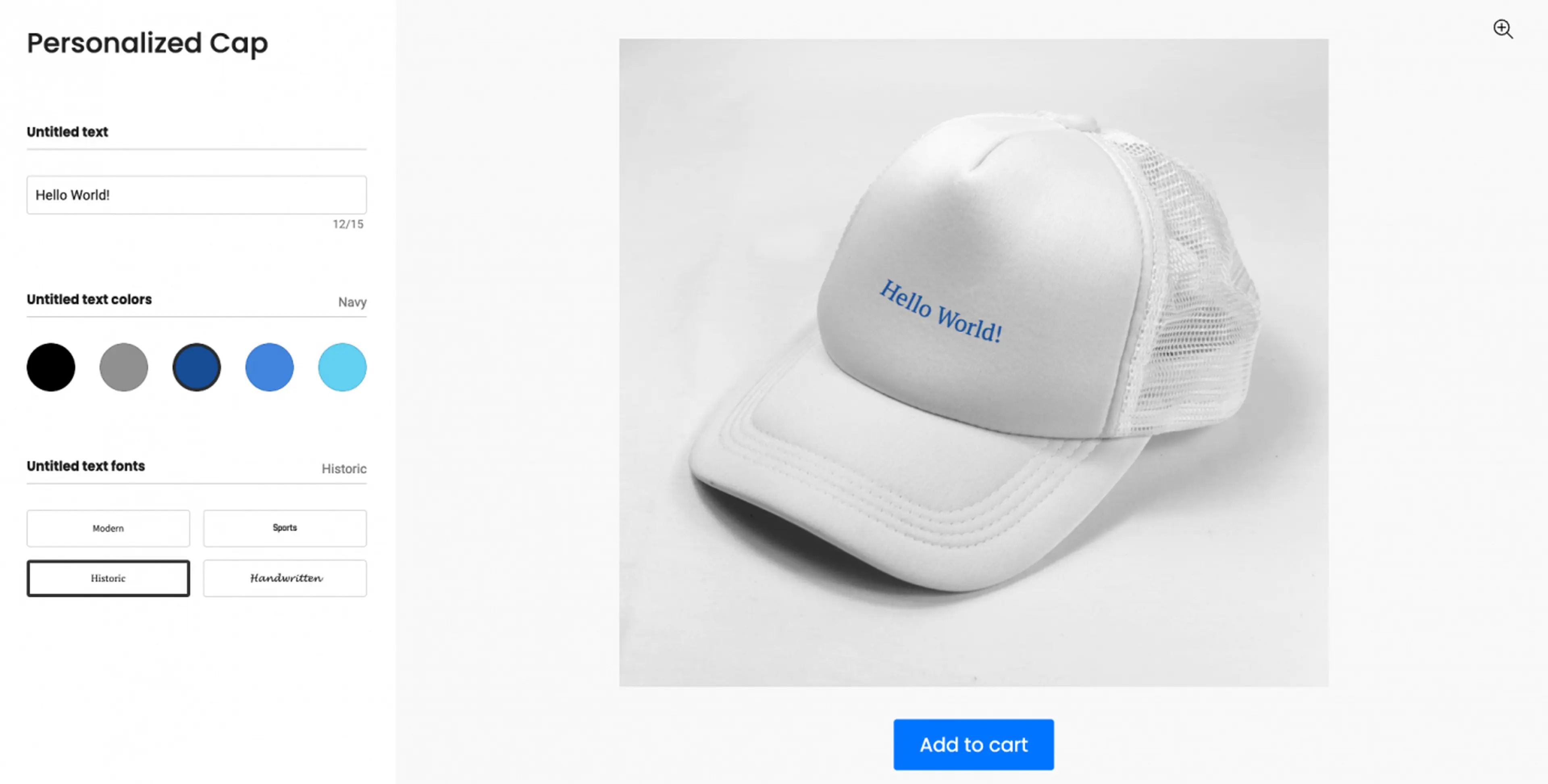
Text inputs allow buyers to add names, messages, or custom wording, which is essential for engraved, embroidered, or printed products.
When combined with a live preview, customers can immediately see how their text will look on the product before adding it to the cart.
This reduces mistakes and gives buyers confidence in what they’re ordering.
Conditional Logic
Conditional logic allows customization options to react to previous selections.
For example, if a customer selects a specific checkbox or product option, a follow-up question becomes visible, or an additional dropdown appears.
This helps to keep the interface clean, even for more complex products.
Custom Pricing Rules for Personalized Products
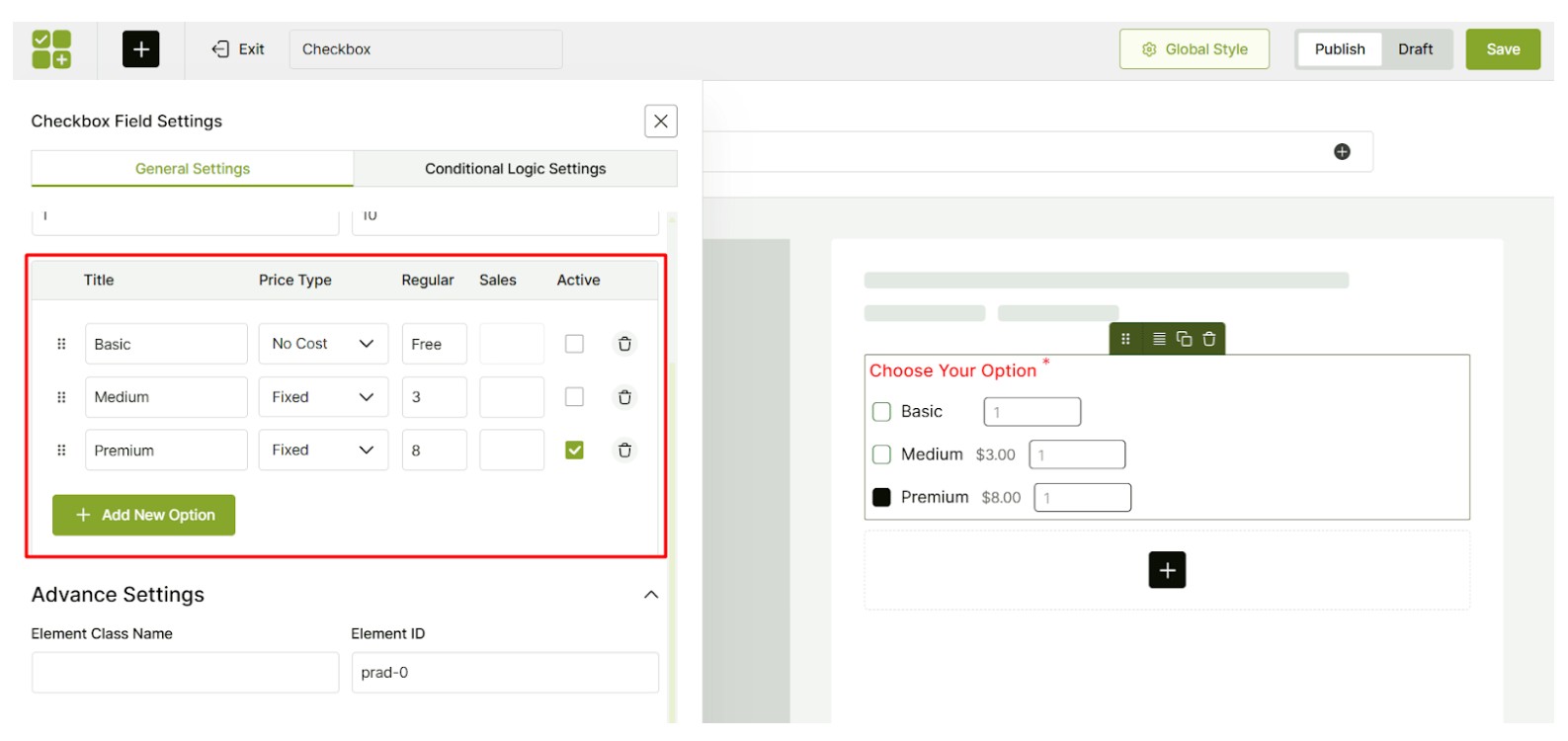
Pricing doesn’t have to be static.
With a configurator, pricing can change based on:
- Selected options
- Added personalization
- Uploaded images or extra features
This is ideal for customizable Shopify products where pricing depends on complexity or add-ons.
Image Uploads for Custom Products
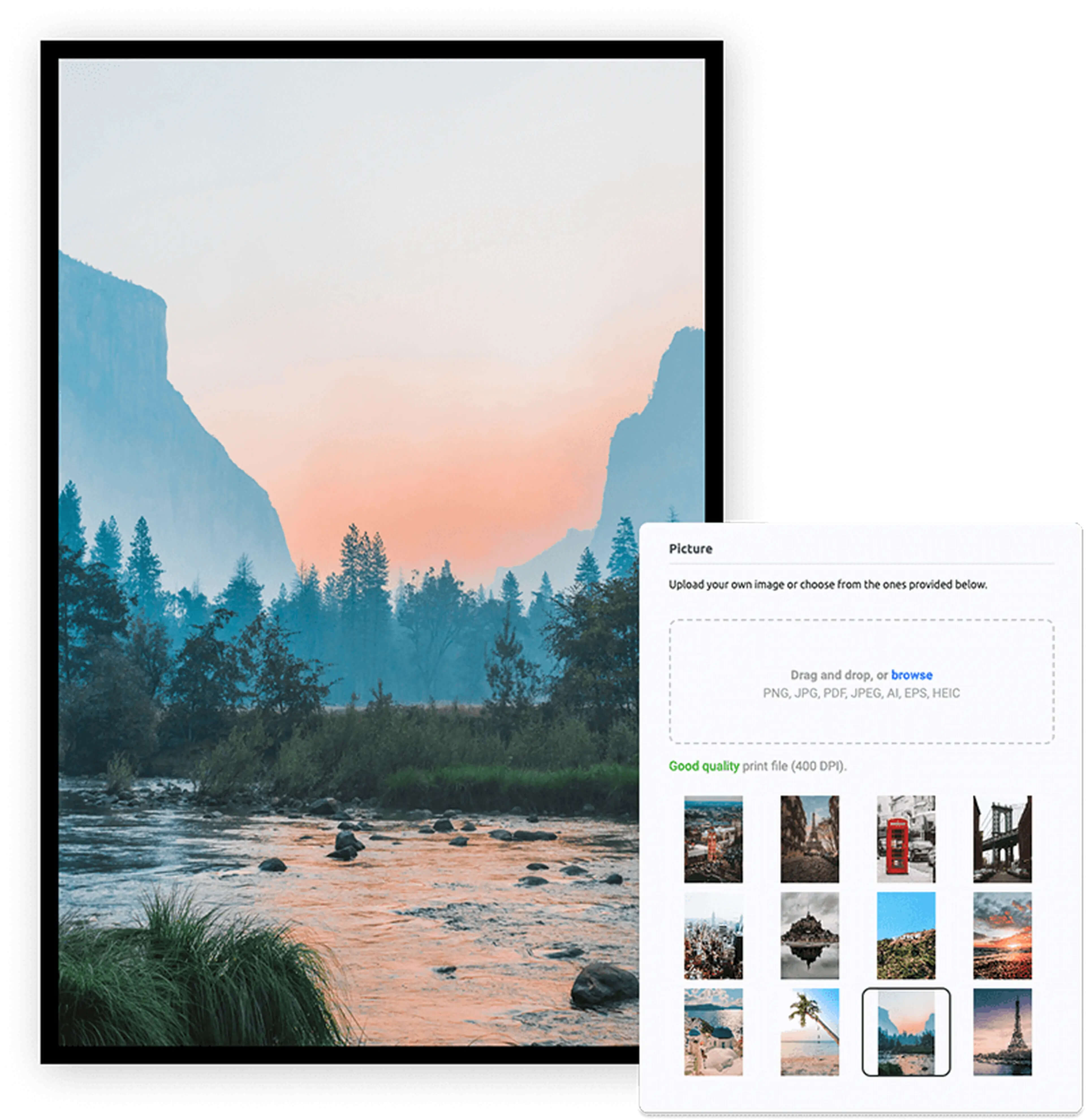
Customers can upload their own images, such as logos or photos, and see them applied to the product in real time.
On the backend, you can define so-called “print areas” so that customers can only move their images and logos within the defined boundaries.
Color Selectors and Custom Options
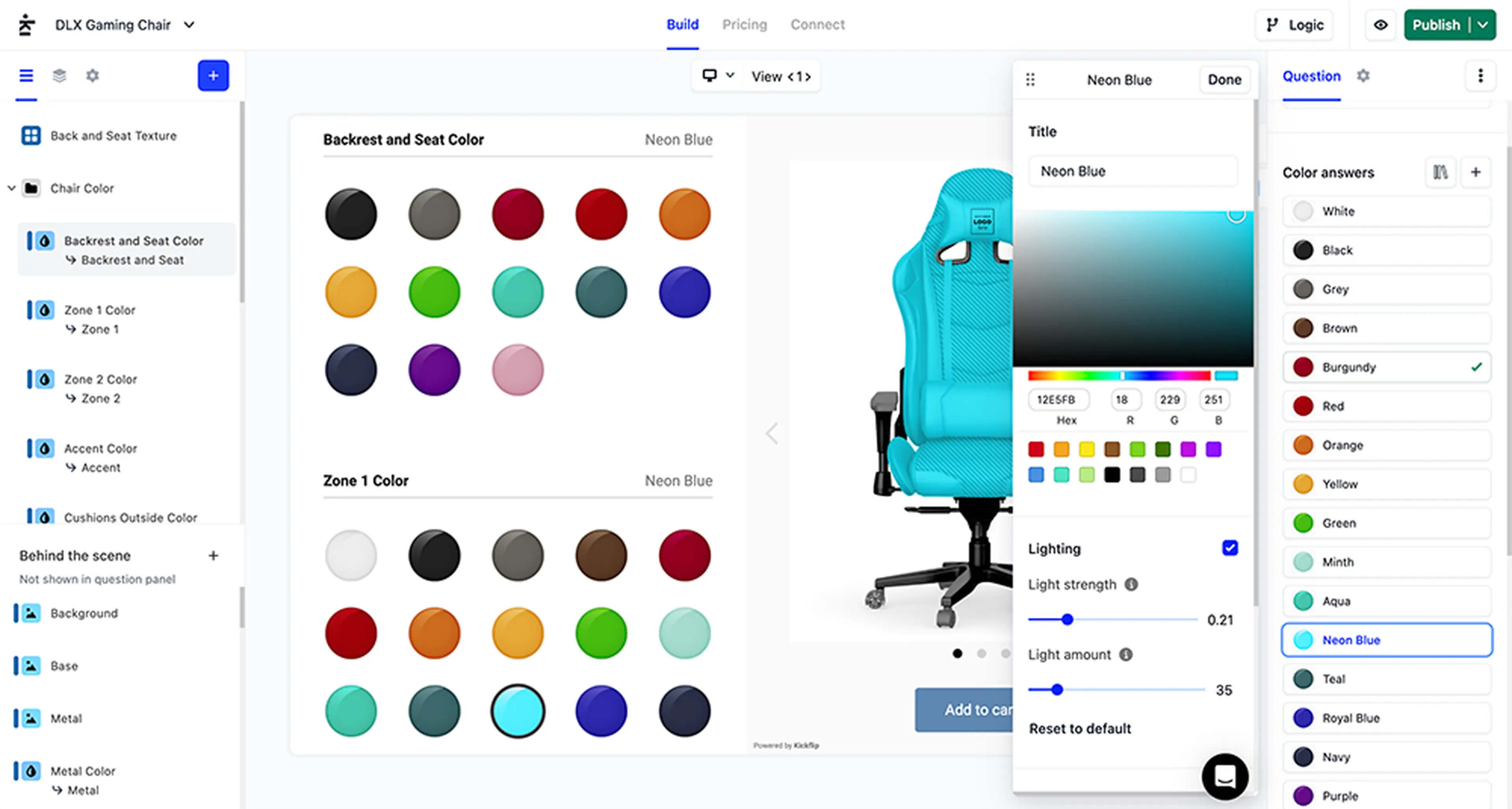
Instead of relying on traditional variants, options like colors and styles are handled visually inside the configurator.
Customers can see color changes applied directly to the product in real time, which makes the customization process more intuitive and reduces uncertainty before purchase.
Live Preview for Personalized Products
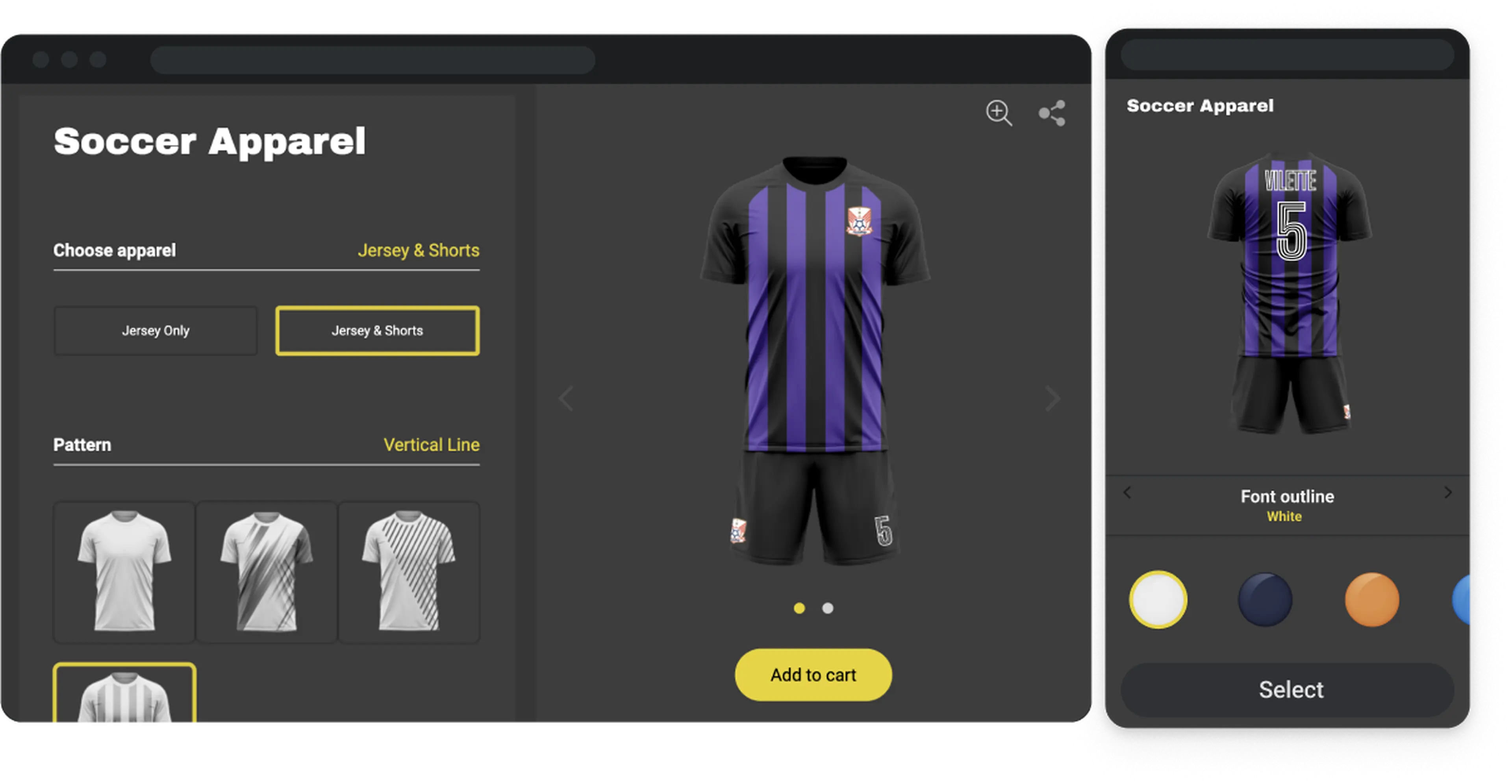
One of the biggest advantages of a product configurator is the live preview.
As customers customize the product:
- Colors update instantly
- Text and images appear in real time
- The final product is always visible before purchase
This is especially important for custom and made-to-order products, where seeing the exact result upfront helps reduce mistakes, refunds, and support requests.
Final Thoughts
Product configurators make it possible to sell fully customizable products on Shopify.
They combine visual customization, conditional logic, live previews, and dynamic pricing into a single setup, which is hard to achieve with basic product options alone.
If you need help setting this up for your own store, feel free to reach out.